In a installment, we discussed the basic partitioning of your digital life into banking vs. non-banking. This was mainly composed of creating separate email accounts and using separate phones for your banking and non-banking tasks.
We also discussed password management, maintaining separate email aliases and usernames for each financial service, and several other topics. If you follow all of the advice in the previous installment, then you will be far ahead of most people in terms of your likelihood of having your accounts hacked.
This is mainly because we have removed banking from your normal accounts, meaning that hacking them will gain the attackers nothing useful. Likewise, since we use the banking related accounts only very narrowly for banking, so they are much less likely leak or get hacked. Finally, since the accounts are separate, it will be much easier to detect things like Phishing.
A note on VPNs and TOR:
One thing we didn’t cover was the use of VPNs or privacy systems like TOR.
The reason I don’t consider this to be a big deal is:
a. One assumption is that you will use your banking phone and/or do most of your online banking from home or using your mobile data connection.
b. Basically all of the apps you might use will be using SSL encryption. This means that even if you are accessing your bank account from unprotected WiFi in a coffee shop, the contents of the pages you are viewing, and the data you send back are basically all encrypted. In addition to this, the identity of your bank is verified by the browser (i.e. that the URL matches the SSL certificate), and your identity is typically verified by your login and password. In such a scenario, the only thing an observer can get is the URLs of the site you are accessing.
If you are still nervous, or want to prevent anyone from even knowing what sites you are accessing, then a VPN might be for you. Using a non-reputable VPN would be worse than using no VPN, though, so I would search for a reputable vendor. I personally think Proton VPN is a good option, but there are plenty of others. One thing to note is that some banks will block known VPN services.
If you want to protect your traffic in places with public WiFi like cafes, but don’t mind your ISP knowing which sites you visit, you can use something like a Synology router with VPN Plus. Basically speaking, this type of setup will never be blocked, since as far as the bank knows, you will be connecting from your house.
TOR is a more extreme option that I don’t recommend for even the very paranoid in most cases because:
- Many banks block TOR (Some also block VPN, but…)
- TOR has a high performance penalty
- TOR is usually used to hide from your ISP and/or the government which sites you are accessing, and/or to hide from the sites who you are and where you are connecting from.
Basically speaking, you don’t need to hide the fact that you do online banking from your ISP or the government, and your bank is going to know who you are once you log in anyway. This means that TOR is a solution for a threat model that doesn’t match the scenario of online banking.
However, the advice until now was limited to what can be done relatively easily for free. This does leave some weaknesses that could be addressed if we are willing to spend a bit more effort and/or money.
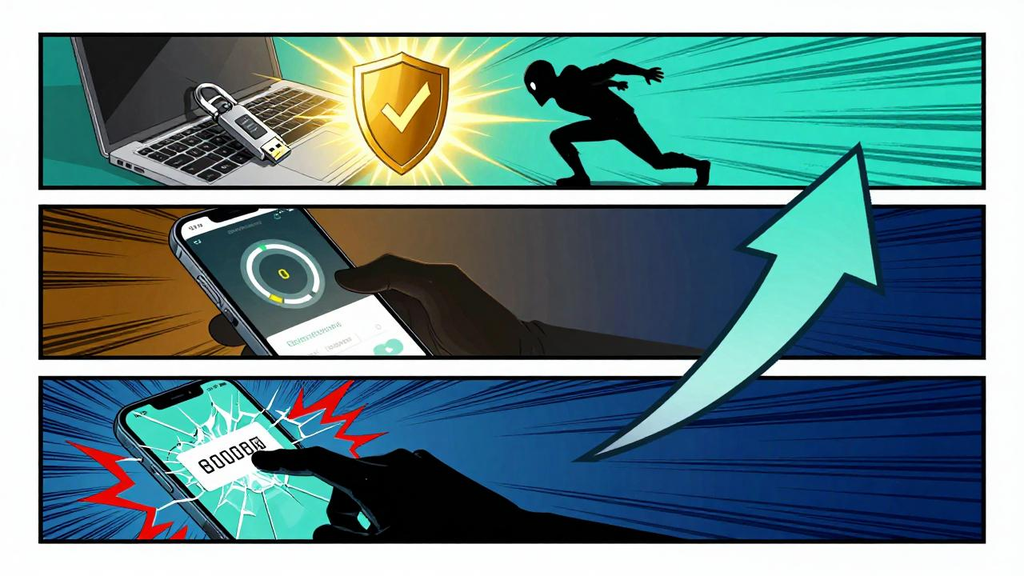
The first issue is that of MFA/OTP.
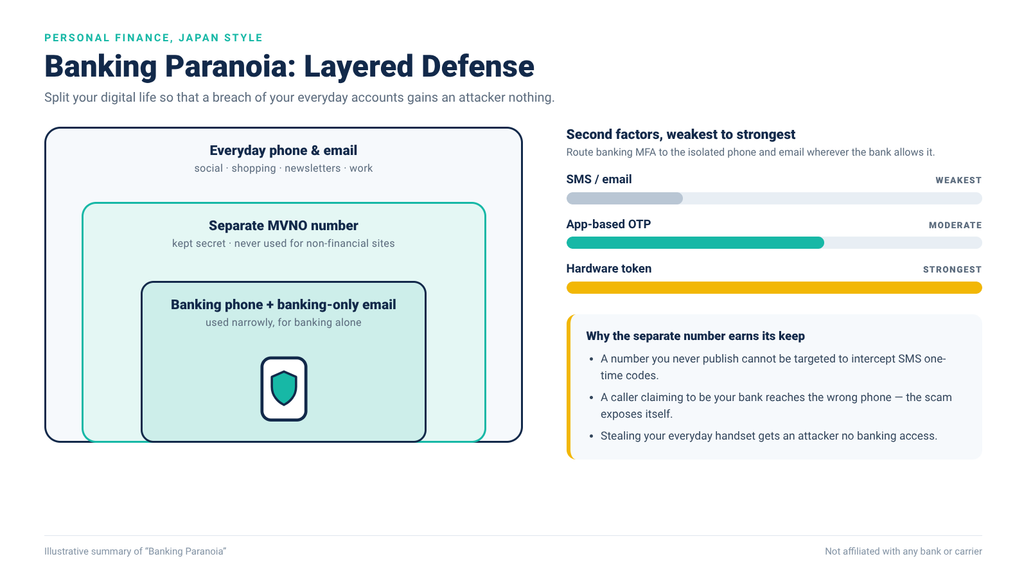
- Using SMS for MFA is not actually terribly secure, and so should be avoided when possible. If it has to be used, though, we want to at least make it a separate number from your normal phone number. This lessens the chance that an attacker would know which number to monitor and/or hack, and also means that losing your normal phone would have no impact on your banking life. We have been trying to separate your financial and non-financial life, and this will make the separate complete (at least on the phone level).
- Using a one time password app on your phone is not the most secure option (Since at least theoretically, your phone could be hacked). Many banks offer hardware OTP tokens, which are a batter idea for the best security. Aside from that, if you ever need to change your banking phone then re-registering all of the OTP tokens will be a time consuming task. With services like Gmail and Proton Mail, there is no standard OTP token, but there are 3rd party security tokens you can purchase.
Getting a separate phone number for banking:
Given that you won’t use your banking phone often, or for watching movies, etc., it doesn’t need to have much of a data allowance. You also won’t generally make calls from it, so it doesn’t need to have a lot of included minutes. It should have SMS and Voice service available, though.
- If you are in Japan, I would recommend a “Kakuyasu” service like Mineo, Sony’s Nuro Mobile, Povo, etc. With these services, you can get a working phone number for less than 1000 JPY per month – even for free, in some cases.
- If you live somewhere outside Japan, then of course check your local MVNO and prepaid options to see what would work best for you. The main point is that the service needs have voice call and SMS support, and should be cheap. It doesn’t need to be 5g (or even 4g/LTE), have unlimited minutes, or a huge amount of data – it just needs to work. (In fact, assuming you have WiFi, it doesn’t need to have any data).
Ordinarily, the process for signing up for these MVNO services is to submit an application online, and wait for your SIM card to arrive. (eSIM might be supported in some cases). Once it arrives, you can and should change the phone number on file with each of your banks and credit cards, especially the number used for MFA. (Having aid that, if you can change the MFA to use something other than SMS, it would be better).
For maximum security, you should treat this number as a secret and not use it for any non-financial sites.
Once this is done:
- If someone calls your normal phone claiming to be from the bank, you will instantly know that it’s a scam.
- If someone steals your normal phone, they can’t use it to receive SMS based OTPs or call the bank.
- If someone knows your normal phone number, they can’t use it to hack SMS based OTPs since you aren’t receiving them there.
- You can be intimidated or tricked into giving up your OTP while you are away from home since you won’t have your banking phone with you.
- No marketing calls from the bank will come to your normal phone. (You can leave your banking phone in silent, or just turned off when not in use).
Let us revisit the various types of OTP from least to most secure:
- SMS / eMail (Can be hacked and intercepted)
- App based (Might be hacked)
- Hardware based (Basically impossible to be hacked)
While some sites might only support using SMS or email, by separating these to a banking only phone and email, we have already made things as secure as they can be.
If your bank, email, etc., uses app based OTP tokens, these can be switched to dedicated hardware tokens from the bank in many cases, a generic hardware token in some cases, and in the worst case, it may be required to continue use a software token. Note that by having the software token on a separate phone with only banking apps, we have already reduced the risk of compromise as much as possible.
A word about hardware tokens:
Given that hardware tokens cost money, many banks will not issue one by default, or will try to get you to switch to a software token.
You can contact your bank to ask if they have a hardware token available. For example, Mitsubishi Bank, PayPay Bank, Prestia, Yucho, and Sony Bank do, but Rakuten Bank does not.
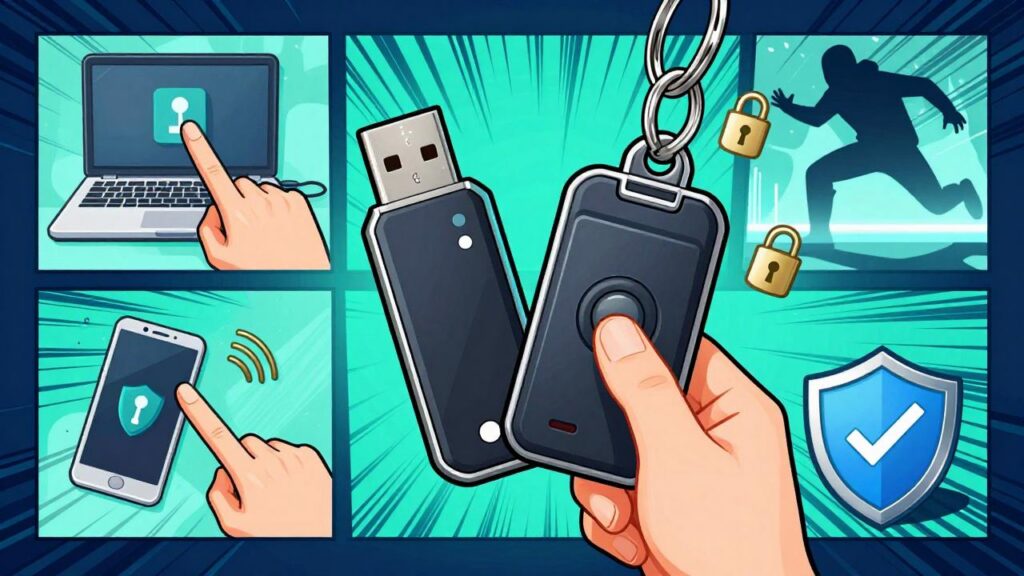
For things like gmail, proton mail, and other sites that allow the use of a generic authentication application, you can purchase and use a generic hardware token such as a YubiKey, Nitrokey.
These devices have many features, but the simplest methods are:
1. You plug in the security token and press a button. The browser will recognize they key and let you log in only if you inserted the correct key and touched the contact. For example, Gmail and many other web sites support this. This is native USB 2FA authentication support.
2. OTP generator mode. This is a mode where the token will generate time based OTP codes the same as Google Authenticator, Authy, etc. This is perhaps slightly less convenient than
You can use the same key for many sites, however I would strongly recommend having one key for banking and one key for everything else (If you feel the need to use the key for non-banking sites at all). The main reason for this is in case you lose a key. (You might also want to have 2 keys for banking and 2 keys for non-banking, so that you always have a backup just in case). Ideally, your banking token would be stored in a safe place in your home and never taken outside, so the risk of it being lost should be minimal.
Basically speaking, a Yubikey or Nitrokey can’t be hacked, so any account protected with it will be more secure. Depending on the key, you can use the same key on the computer and phone, which can be convenient. If you need to change your banking phone at some point, using a 2FA key or similar where possible will reduce the number of accounts you need to re-register.
Using a hardware 2FA key to protect your email accounts will also mean that email based OTP verification (like Rakuten bank uses) will be that much more secure.
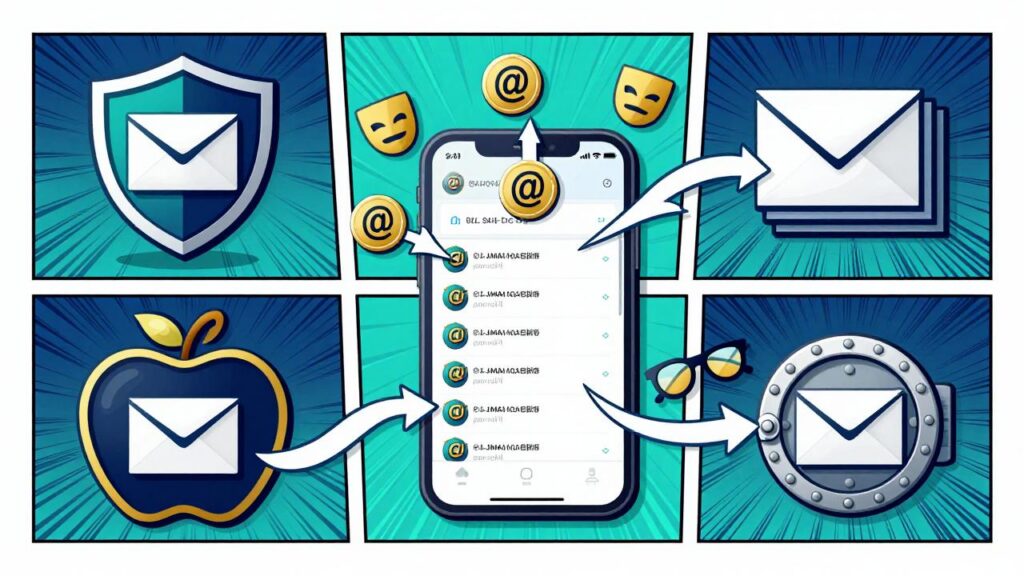
Finally, the type of email aliases we introduced in the last installment (Plus aliases) are workable, but not ideal – mainly because they can’t be disabled, and they reveal your “real” address. A better option would be to use real aliases that the email server recognizes and forwards to your main banking address. This can be done with services such as SimpleLogin.me, although using more than a certain number of addresses will typically involve a small fee.
Let’s take a look at the whole budget:
One Time:
a. Banking USB 2FA hardware security token and backup : 5,000 x 2 = 10,000 JPY
b. Bank specific OTP Tokens : Varies (often free)
Recurring:
a. Proton VPN : Free plan
b. Proton Mail: Free Plan
c. Gmail: Free Plan
d. Kakuyasu MVNO SIM card: 1,000 JPY / Month
e. SimpleLogin.me or Proton Pass for email Aliases: 500 JPY / Month (alternatively, AliasVault or Apple’s Hide-My-Email for free)
So, we are looking at a one-time expense of around 10,000 (assuming you get your banking phone for free by using your old phone, etc), and also a monthly fee of around 1,500 JPY.
That means you can lower your chance of being hacked to effectively zero for less than 20,000 per year. Given that getting hacked or tricked even once will likely cause damages exceeding this amount and cause much time and effort to recover from, this would seem to be a very good trade-off for many people.
The final step I want to discuss is the physical separation of accounts.
Many people have a number of credit cards, and also may have a main bank account where their payroll is deposited, they take cash out of, use their debit card, etc. This can be quite dangerous for numerous reasons:
1. Your credit card number could be stolen.
2. Your card could be lost or stolen.
3. You could be threatened into giving up your PIN.
4. You might fall prey to impulse shopping.
5. You might accidentally spend too much.
The main point is that you don’t need to carry around high limit credit cards or bank cards with you on a daily basis, and doing so is a high risk activity. Would you rather lose a credit card with a 50,000 JPY limit, or one with a 5,000,000 JPY limit? If you are just going shopping, there is no need to carry multiple cards, or large limit cards. In fact, ideally you should carry prepaid cards instead of credit cards, so that your losses are limited to the balance, but if you do carry credit cards, it’s best to limit to 1 or 2 with small limits. (Some people will point out that many credit card companies will cover losses due to fraud, but they don’t necessarily realize that recovering from identity theft and providing all of the evidence that the credit card company or bank requires can be a long and difficult process. Furthermore, if a PIN was used, they may not reimburse you at all).
I know people who have been overcharged by thousands of dollars and not had recourse. This wouldn’t have happened if they were’t carrying cards that had such high limits (their card would simply have been declined instead).
Worse, cash cards and debit cards are even more dangerous because they typically have fewer fraud protections, and transactions happen in real time. As an example, if you lost your debit card someone could potentially use it to purchase thousands of dollars worth of goods, which would mean that now you have no money left for your rent or mortgage, etc., and you may not be able to get the money back. In an ideal world this wouldn’t happen because charges wouldn’t be approved without your PIN, and an attacker wouldn’t know your PIN – but in real life, things happen.
This means that carrying a debit card which has access to a bank account with more money than your spending money carries a high risk. A recommendation would be to set up a separate bank account for spending money (pocket money), and transfer money into that account after each paycheck. Carry your spending only card, and leave your payroll bank card at home. Likewise, use this pocket money card when shopping online. This way, you can’t overspend, and your losses are limited should you lose your card, your number is leaked, etc.
Leave a Reply